Evaluating KDP Dot Grid Paper 40 for Low Content Publishing
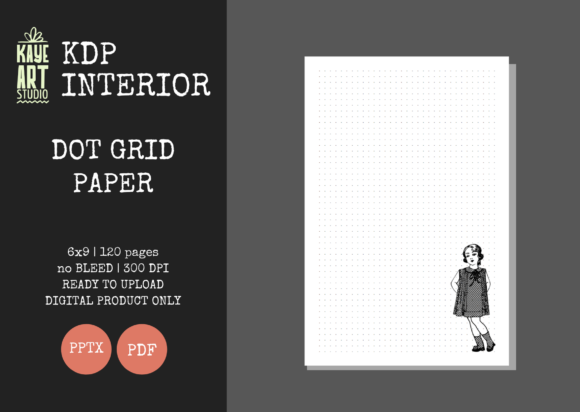
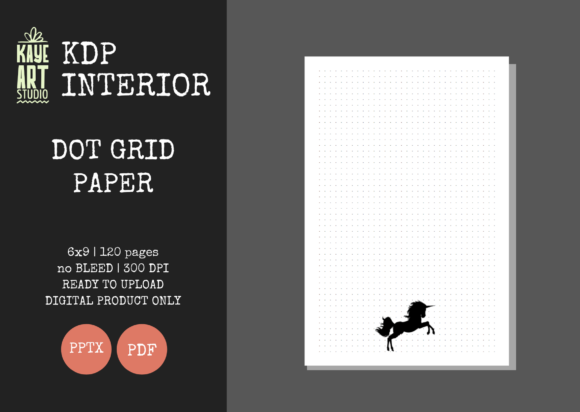
For publishers operating within the Amazon KDP ecosystem, selecting the right interior template is often more critical than the cover design itself. While covers attract clicks, the interior determines customer satisfaction, reviews, and long-term brand viability. KDP Dot Grid Paper 40 represents a specific configuration in the low-content market: a 6x9 inch, 120-page manuscript with no bleed settings and a precise dot spacing optimized for general note-taking and bullet journaling. Understanding the technical specifications and market positioning of this resource helps publishers determine if it aligns with their current catalog strategy or if an alternative format would better serve their target audience.
Technical Specifications and Production Standards
The primary value proposition of KDP Dot Grid Paper 40 lies in its adherence to strict KDP production guidelines. Many new publishers face rejection or quality warnings due to improper margin settings or resolution issues. This template is pre-configured at 300 DPI, which is the industry standard for crisp printing on Amazon’s demand presses. Lower resolution files often result in fuzzy dots or grayish lines that degrade the user experience. By utilizing a verified 300 DPI source, publishers mitigate the risk of blurry interiors that frequently lead to negative feedback regarding print quality.
The trim size of 6x9 inches is currently the most versatile format for adult journals. It strikes a balance between portability and usable writing space. Unlike larger 8.5x11 formats, which can feel cumbersome for daily carry, or smaller A6 sizes, which limit creative expression, the 6x9 format fits standard bags and desks comfortably. The 120-page count is another strategic specification. At this page count, the spine width is sufficient for text placement, allowing for professional shelving visibility. Thinner books often lack spine text, making them harder to identify when stored. Furthermore, 120 pages provide enough volume to justify a mid-range price point without significantly increasing printing costs, preserving royalty margins.
No Bleed Configuration vs. Full Bleed Alternatives
A defining characteristic of KDP Dot Grid Paper 40 is the "No Bleed" setting. In KDP terminology, no bleed means all content must remain within a safe margin zone, typically 0.375 inches from the edge on three sides and slightly more on the gutter. This differs fundamentally from full-bleed interiors where graphics extend to the very edge of the paper. For dot grid journals, no bleed is generally preferred by users because it creates a natural frame for writing. Dots that run off the edge of the page can look messy and make the book appear unprofessional unless executed with high-end design precision.
However, this limitation requires awareness. Publishers looking to create edge-to-edge artistic backgrounds or specialized planners with colored borders will find this template restrictive. KDP Dot Grid Paper 40 is strictly utilitarian. It serves functional note-takers rather than artists seeking immersive layouts. If your niche demands aesthetic immersion over structural utility, a full-bleed custom interior would be the necessary alternative.
Workflow Efficiency: PPTX and PDF Formats
The inclusion of both PDF and editable PowerPoint (PPTX) files addresses two distinct publisher workflows. The PDF file is the production-ready asset. It has been tested for KDP compatibility, meaning dimensions, margins, and embedding are verified. For publishers who do not need to modify the grid pattern, this allows for immediate upload and rapid time-to-market. This speed is essential when testing new niches or capitalizing on seasonal trends where being first matters more than customization.
Conversely, the PPTX file offers scalability for established brands. While the base product is KDP Dot Grid Paper 40, the editable nature allows publishers to add proprietary elements without redesigning the grid from scratch. Practical modifications might include adding a branded footer, inserting monthly reflection prompts every ten pages, or adjusting the opacity of the dots to suit a specific paper weight preference. This hybrid approach saves hours of layout work. Creating a mathematically perfect dot grid manually in design software is tedious and prone to alignment errors. Starting with a verified master slide ensures consistency across hundreds of pages while still permitting brand differentiation.
Comparing Pre-Made Templates to Custom Design
Publishers often debate whether to purchase pre-made interiors like KDP Dot Grid Paper 40 or design their own. Custom design offers total uniqueness but carries significant opportunity costs. Designing a 120-page grid with proper gutter margins, accounting for KDP’s shifting print tolerances, and exporting at correct resolutions can take days of technical troubleshooting. For a simple dot grid journal, the marginal gain in uniqueness rarely justifies this time investment. The dot grid is a standardized utility; customers expect consistency, not novelty, in the grid spacing itself.
Where custom design excels is in highly specialized niches, such as hex-grid engineering notebooks or music manuscript paper. KDP Dot Grid Paper 40 is a generalist tool. It competes in the saturated "bullet journal" and "notebook" categories. To succeed here, publishers should leverage the time saved on interior creation to focus on superior cover design, keyword research, and marketing. Using a reliable pre-made interior shifts resources from technical production to market positioning, which is typically the stronger lever for sales in competitive categories.
Market Fit and Audience Considerations
Understanding who buys dot grid journals helps determine if this specific asset fits your portfolio. The primary demographic for KDP Dot Grid Paper 40 includes students, professionals, and bullet journal enthusiasts who prefer structure over blank pages but find lined paper too restrictive. These users prioritize functionality. They care about dot darkness, spacing consistency, and paper opacity. They are less concerned with elaborate interior decorations and more focused on the tool's reliability.
This template is best suited for publishers building volume-based catalogs or those entering the low-content space with limited design skills. It provides a professional baseline that avoids the amateur mistakes common in DIY interiors. However, it may not be the right choice for premium stationery brands targeting luxury buyers. High-end journal consumers often expect thicker paper, ribbon markers, and unique interior layouts that standard KDP print options cannot fully replicate. KDP Dot Grid Paper 40 targets the mass-market functional segment, not the boutique gift segment.
Evaluating Spacing and Usability
While the term "Dot Grid Paper 40" implies a specific standard, publishers should always verify the actual spacing measurement before committing. Standard dot grids usually range from 4mm to 5mm. A 5mm grid is the industry standard for bullet journaling, aligning with popular systems and pen widths. A 4mm grid offers higher density for detailed sketching or smaller handwriting. If KDP Dot Grid Paper 40 utilizes non-standard spacing, it may alienate core bullet journal users who rely on consistent measurements for their indexing systems. Always download the preview file to measure the grid physically or digitally against known standards before publishing.
Additionally, consider the dot opacity. KDP’s standard white paper is 55# (90 GSM). Heavy black dots can show through to the reverse side, reducing usability for double-sided writing. Lighter gray dots are generally preferred for this paper weight. Since this template is pre-tested, it likely accounts for this, but verifying the visual weight in the provided PDF sample ensures it matches your quality expectations. Customer complaints about "dots that are too dark" or "bleed-through" are common in this category and can be avoided through pre-publication verification.
Strategic Implementation and Limitations
It is crucial to remember that this listing covers the interior only. Covers must be created separately using KDP’s cover calculator based on the exact page count and paper type. Mismatching the interior page count with the cover spine width is a frequent error when using pre-made interiors. Because KDP Dot Grid Paper 40 is fixed at 120 pages, your cover must be generated specifically for 120 pages on white paper. Attempting to use a cover designed for 100 or 150 pages will result in misaligned spine text and rejected uploads.
Furthermore, while the PPTX file allows editing, publishers should avoid altering the master grid dimensions. Resizing slides or changing margins in PowerPoint can inadvertently shift the safe zone, causing dots to fall outside printable areas. Use the editable features for adding content layers, not for restructuring the foundational geometry. Treat the grid as a locked background layer to maintain production integrity.
Ultimately, KDP Dot Grid Paper 40 serves as a foundational infrastructure asset rather than a complete product solution. Its value is derived from technical compliance, workflow efficiency, and market-appropriate specifications. For publishers seeking to streamline production while maintaining professional quality standards in the functional notebook category, it offers a pragmatic balance between convenience and customization. Success depends not on the template alone, but on how effectively it is integrated into a broader strategy that includes compelling cover design, accurate metadata, and realistic pricing aligned with the 6x9, 120-page form factor.