KDP Lined Journal 20: Streamlining Your Low-Content Publishing Workflow
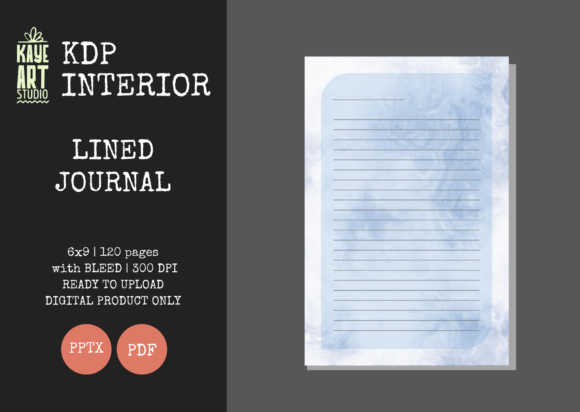
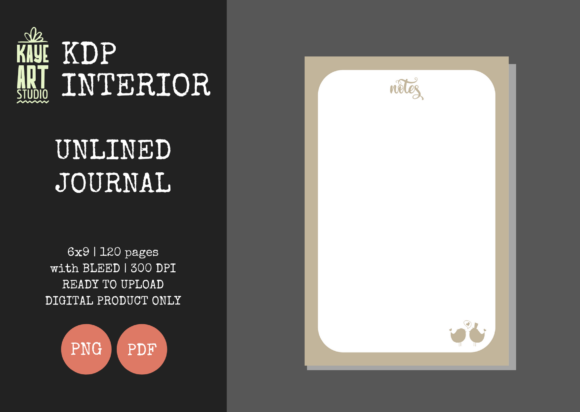
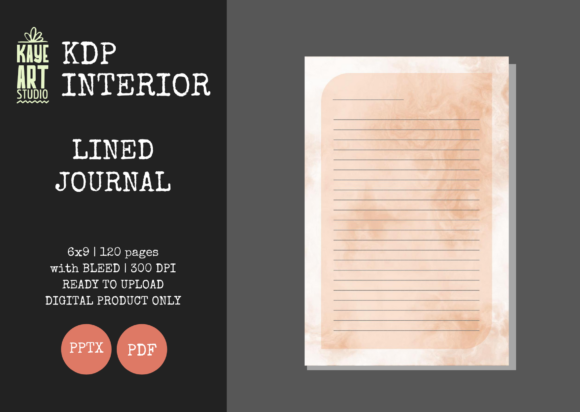
Building a sustainable Amazon KDP business often comes down to balancing volume with quality. For publishers focusing on no and low-content books, the KDP Lined Journal 20 represents a strategic asset rather than just another digital file. This specific interior template is designed to address one of the most common friction points in self-publishing: technical formatting errors that lead to rejected uploads or poor customer reviews. By utilizing a pre-formatted 6×9 inch lined journal with 120 pages and proper bleed settings, creators can bypass the tedious setup phase and focus on what actually drives sales: niche research and cover design.
Many entrepreneurs and hobbyists enter the low-content space assuming that a simple lined notebook is foolproof. However, the difference between a professional product and an amateur attempt often lies in the margins, resolution, and file integrity. The KDP Lined Journal 20 provides a tested foundation, but leveraging it correctly requires understanding both its capabilities and its limitations. Misunderstanding how this tool fits into your workflow can result in wasted time, unnecessary expenses, and a catalog of books that fail to convert browsers into buyers.
The Hidden Costs of Incorrect Bleed Settings
The most frequent technical failure for new KDP publishers involves bleed configuration. Bleed refers to the area of the page that extends beyond the final trim size, ensuring that when the book is cut during manufacturing, the content reaches the very edge without leaving unsightly white borders. The KDP Lined Journal 20 is explicitly configured with bleed settings enabled. A critical mistake occurs when users upload this file but select "No Bleed" in the KDP dashboard because they assume a standard lined journal doesn't need it.
Selecting the wrong option triggers an automated rejection or, worse, forces KDP’s system to shrink your content to fit a non-bleed container. This distortion ruins the 6×9 aspect ratio and pushes lines dangerously close to the gutter. To avoid this, you must always select BLEED during the upload process when using this specific interior. Conversely, if you attempt to modify the file and accidentally delete the bleed margin guides, you will face similar issues. Treat the provided PDF as a print-ready master; only edit the source PowerPoint file if you fully understand safe zones and trim lines.
Resolution and File Format Integrity
Another overlooked detail is the assumption that all PDF generators are equal. Some creators open the editable PPTX file, make minor adjustments, and export it using default office settings. This often results in a file that looks crisp on screen but prints at 72 or 96 DPI. The KDP Lined Journal 20 is engineered at 300 DPI, which is the industry standard for high-quality print. Exporting at a lower resolution causes lines to appear pixelated or fuzzy in the physical book, leading to immediate negative feedback regarding print quality.
To maintain the intended quality:
- Always verify the export settings in PowerPoint or your PDF converter.
- Ensure "High Quality Print" or "Press Quality" is selected during save-as operations.
- Zoom in to 100% or higher on the final PDF to inspect line sharpness before uploading.
- Use the provided PDF directly if no edits are necessary to guarantee the original 300 DPI integrity.
Relying on screen preview alone is insufficient. Digital displays mask resolution issues that become obvious on paper. Taking thirty seconds to validate file properties prevents the embarrassment of publishing a subpar product.
The Trap of Neglecting Cover Design
A significant misunderstanding surrounding the KDP Lined Journal 20 is the expectation of a complete, ready-to-sell package. It is vital to recognize that this listing is for the INTERIOR only. Beginners sometimes purchase this asset believing it includes a matching cover or that a generic cover will suffice. This mindset undermines the entire business model. In the saturated low-content market, the interior provides utility, but the cover generates the click.
Using a bland or mismatched cover with a professionally formatted interior creates cognitive dissonance for potential buyers. If your interior is clean and precise, your cover must signal that same level of professionalism. Budgeting time and resources for custom cover creation is not optional; it is a prerequisite for success. When evaluating this interior, consider whether you have the design skills or outsourcing budget to create a cover that complements a 6×9 bleed-enabled format. Without a compelling exterior, even the most perfectly formatted KDP Lined Journal 20 will remain invisible in search results.
Evaluating Page Count and Trim Size for Your Niche
While 120 pages is a versatile standard, it is not universally optimal. A common error is applying this single specification to every niche without considering user intent. For example, a daily gratitude journal might benefit from 120 pages to cover four months of entries, whereas a travel log for a two-week trip might feel too bulky and heavy at that count. Similarly, while 6×9 inches is the gold standard for portability, certain demographics prefer larger formats for handwriting accessibility or smaller sizes for pocket carry.
Before integrating KDP Lined Journal 20 into your catalog, validate the specifications against competitor analysis. Check the best-selling journals in your target sub-niche. Are they predominantly 6×9? Do they average 100, 120, or 150 pages? Aligning your product with established reader expectations reduces friction. Using this template simply because it is available, rather than because it fits the market demand, leads to inventory that technically works but commercially fails.
Maximizing the Editable PowerPoint Advantage
The inclusion of an editable PPTX file is a powerful feature, yet many users either ignore it or misuse it. Ignoring it means missing opportunities for differentiation. Adding subtle branding, motivational quotes, or specialized headers can transform a generic lined journal into a branded experience. However, over-editing introduces risk. Moving guide layers, altering margin widths, or changing font styles can disrupt the precise alignment required for KDP printing.
A balanced approach involves making minimal, high-impact changes while preserving the structural integrity of the document. If you add text elements, ensure they remain within the safe zone. Test your edited version by printing a single page on your home printer at actual size to check margins before committing to a full upload. The goal is to enhance value without compromising the technical reliability that makes the KDP Lined Journal 20 valuable in the first place.
Final Verification Before Publication
Efficiency should never come at the cost of due diligence. Even with a tested file, variables change. Software updates, operating system differences, and personal modifications can introduce unexpected errors. Establish a pre-upload checklist that includes verifying trim size (6×9), confirming bleed selection, checking page count (120), and reviewing the digital proofer thoroughly. Pay special attention to the inner margins near the spine, as this is where binding issues typically manifest.
By treating the KDP Lined Journal 20 as a professional component within a broader publishing strategy, you avoid the pitfalls that plague casual uploaders. Success in low-content publishing isn't about finding a magic file; it's about executing fundamentals consistently. When you combine this reliable interior with thoughtful niche selection, high-resolution standards, and exceptional cover design, you build a foundation capable of supporting long-term growth rather than fleeting experimentation.